
We’re proud to announce that the U.GG Desktop app now includes retail World of Warcraft! The app is free and brings U.GG data directly into the game through the Class Codex addon.
How to Install
To get started, download the app and locate your World of Warcraft folder to install the Class Codex addon. The app is available on Windows and macOS, with Retail supported at launch. The Desktop app lets you browse Icy Veins guides as you would in a browser. You can subscribe to U.GG PLUS for an ad-free experience.
What You Get
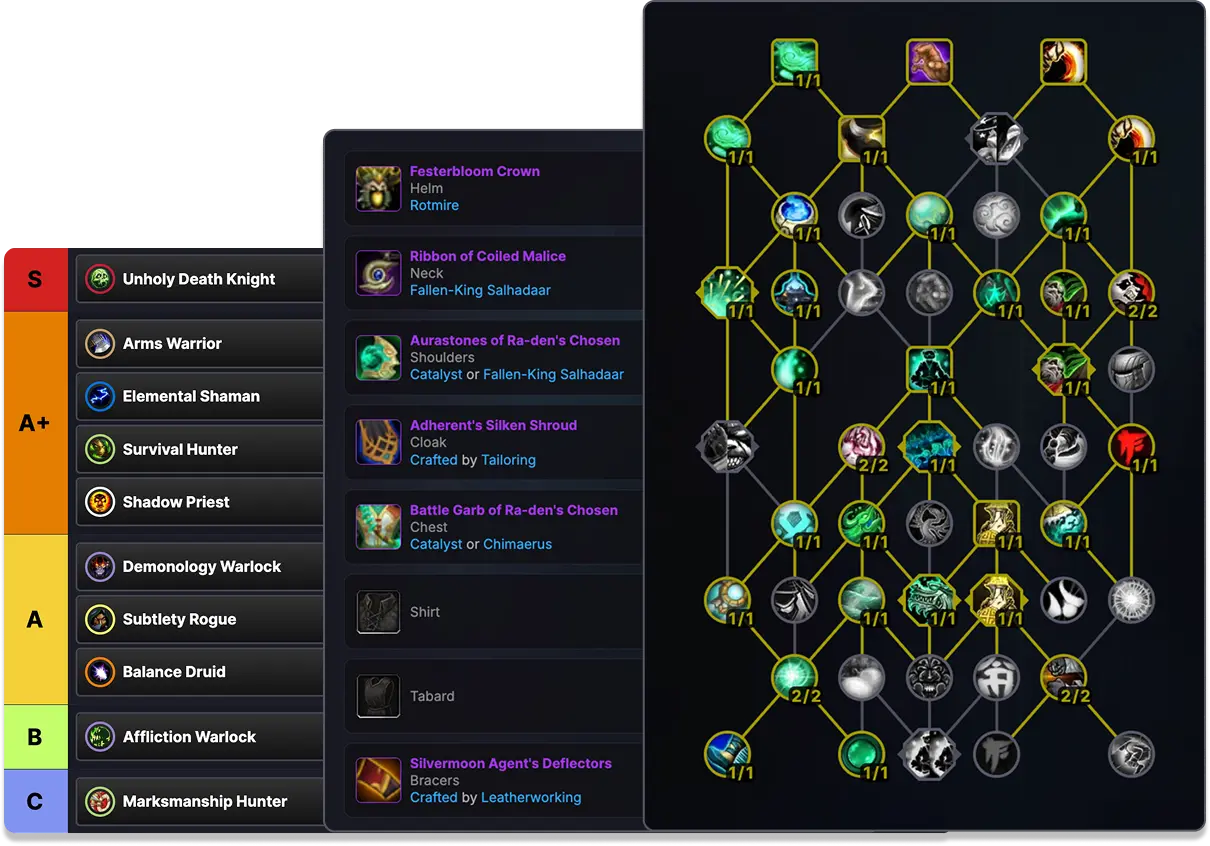
Once you launch the game and enable the Class Codex addon, you will see talent builds, best-in-slot gear, stat priorities, and rotations inside the game, which means no alt-tabbing mid-pull or scrolling to find what you need between wipes.
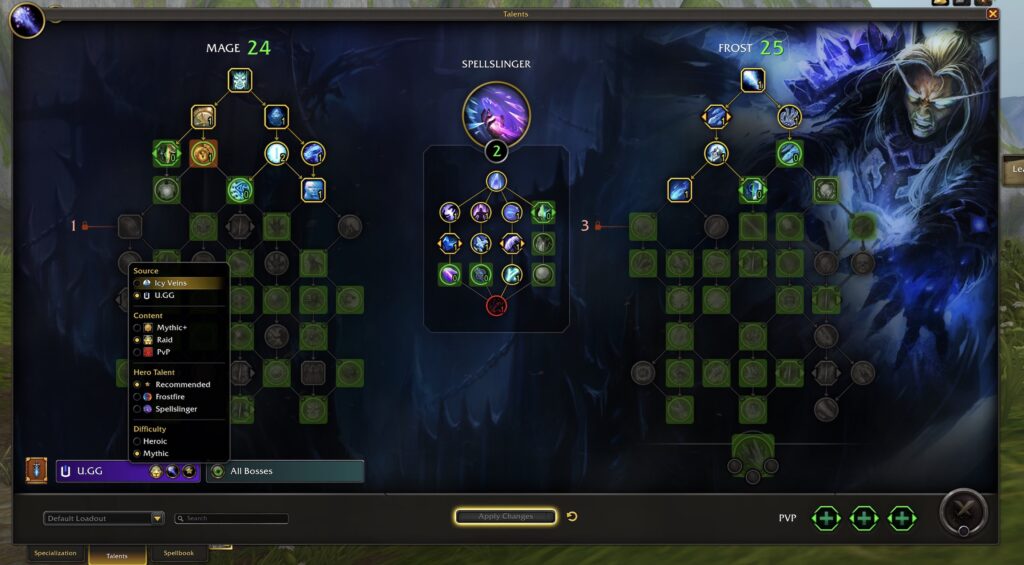
Two sources are available for you to choose from: U.GG data or Icy Veins guides. In the following example, we’ve opened the Talents tab, where by clicking on the Class Codex icon, you get to choose the source, content, and difficulty to get the best build for each context.
Is It Safe?
Yes, the app is safe. Millions of users have been using the U.GG app for League of Legends and the Class Codex addon is compliant with Blizzard’s End User’s Licence Agreement, so using both won’t get you banned.
Feedback Wanted!
Feedback, negative or positive, we want to hear it! If you have any questions or suggestions tied to the app and WoW support, please send us an e-mail.